By TechToolPick Team · Updated Recently updated
We may earn a commission through affiliate links. This does not influence our editorial judgment.

Why Monitoring Has Become Non-Negotiable
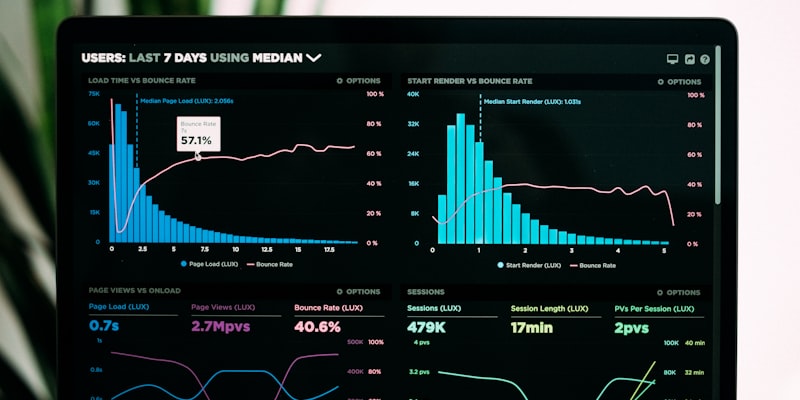
Your application is running. Users are hitting your API. Deployments are going out multiple times per day. Everything is fine, until it is not.
Monitoring and observability tools are the difference between finding out about an outage from your users on Twitter and catching it before anyone notices. In 2026, these tools have evolved well beyond simple uptime checks. Modern observability platforms combine metrics, logs, traces, error tracking, and alerting into unified systems that help you understand not just whether your application is working, but how and why.
This guide covers seven of the best monitoring and observability platforms, ranging from enterprise-grade solutions to developer-focused tools that get you set up in minutes.
Quick Comparison Table
| Tool | Best For | Free Tier | Starting Price | APM | Logs | Error Tracking | Uptime |
|---|---|---|---|---|---|---|---|
| Datadog | Enterprise full-stack | 14-day trial | ~$15/host/mo | Yes | Yes | Yes | Yes |
| Grafana Cloud | Open-source stack | Yes (generous) | $0 (pay-as-you-go) | Yes | Yes | Via integrations | Yes |
| New Relic | All-in-one observability | Yes (100 GB/mo) | $0 (pay-per-ingest) | Yes | Yes | Yes | Yes |
| Sentry | Error & performance tracking | Yes (5K errors) | $26/mo | Yes | No | Yes | Yes |
| Betterstack | Uptime & incident management | Yes | $24/mo | No | Yes | No | Yes |
| Axiom | Log management at scale | Yes (500 GB/mo) | $25/mo | Via OTel | Yes | No | No |
| Highlight | Session replay + monitoring | Yes (500 sessions) | $150/mo | Yes | Yes | Yes | No |
Datadog
Overview
Datadog is the 800-pound gorilla of the monitoring world. It offers the most comprehensive observability platform available: infrastructure monitoring, APM (application performance monitoring), log management, real user monitoring, synthetic monitoring, security monitoring, CI visibility, database monitoring, and network monitoring. If a monitoring category exists, Datadog probably has a product for it.
The platform is built for scale. Datadog processes trillions of data points daily across its customer base and provides real-time dashboards, alerting, and anomaly detection powered by machine learning. The integration library includes over 750 integrations, covering virtually every technology stack.
In 2026, Datadog has expanded its AI-powered features with Bits AI, an assistant that helps you investigate incidents, correlate signals across metrics, logs, and traces, and summarize alert context. The platform has also improved its OpenTelemetry support and added better cost management tools.
Pricing
Datadog’s pricing is per-product and per-host or per-volume:
- Infrastructure Monitoring: From $15/host/month
- APM: From $31/host/month
- Log Management: From $0.10/GB ingested (plus $1.70/million indexed events)
- Real User Monitoring: From $1.50 per 1,000 sessions
Costs add up quickly when you enable multiple products across many hosts. Datadog’s biggest criticism is sticker shock on monthly bills for growing teams.
Best For
Mid-to-large engineering teams that need a single platform covering infrastructure, application performance, logs, security, and real user monitoring. Organizations running complex, distributed microservice architectures get the most value from Datadog’s cross-product correlation features.
Drawbacks
Expensive, especially when combining multiple products. The pricing model is complex and can lead to unexpected bills. Smaller teams may find they are paying for features they don’t need. The learning curve is significant given the breadth of the platform.
[Check Datadog pricing]
Grafana Cloud
Overview
Grafana Cloud is the managed version of the Grafana open-source stack, built on Grafana (visualization), Prometheus/Mimir (metrics), Loki (logs), and Tempo (traces). It gives you enterprise-grade observability using open-source technologies, which means you avoid vendor lock-in and can self-host components if needed.
The free tier is genuinely generous: 10,000 metrics series, 50 GB of logs, and 50 GB of traces per month. For many small to medium teams, this is enough for production monitoring without spending a dollar.
In 2026, Grafana Cloud has added Grafana Cloud App Observability, which provides pre-built dashboards and alerting for common frameworks and languages. The Adaptive Metrics feature automatically identifies and reduces unused metric series, keeping costs under control. Grafana OnCall handles incident management and on-call scheduling as part of the platform.
Pricing
- Free: 10K metrics, 50 GB logs, 50 GB traces, 3 users
- Pro: Pay-as-you-go starting at $0. Metrics at $8/1K series/month, logs at $0.50/GB, traces at $0.50/GB
- Advanced: From $29/user/month with enhanced features and SLA
The pay-as-you-go model means you only pay for what you send. Combined with Adaptive Metrics to reduce waste, Grafana Cloud is often the most cost-effective option for teams that are willing to invest in configuration.
Best For
Teams that value open-source tools and flexibility. If you already use Prometheus and Grafana dashboards, Grafana Cloud is the natural managed offering. Excellent for organizations that want to avoid vendor lock-in and potentially self-host in the future.
Drawbacks
The DIY nature of the Grafana ecosystem means more setup and configuration than a fully opinionated platform like Datadog. Dashboards are powerful but require manual creation (though the app observability feature is changing this). The open-source components can be complex to configure properly.
[Try Grafana Cloud free]
New Relic

Overview
New Relic was one of the original APM vendors and has reinvented itself as a full-platform observability solution. The current offering includes APM, infrastructure monitoring, log management, browser monitoring, mobile monitoring, synthetic monitoring, and an AI assistant (New Relic AI).
New Relic’s defining move was introducing usage-based pricing with a generous 100 GB per month of free data ingest. This model, combined with full-platform access on every tier, makes New Relic accessible to teams of all sizes. You don’t pay for features you enable, only for the data you send and the users who query it.
In 2026, New Relic has improved its AI capabilities with New Relic AI, which provides natural language querying, automated root cause analysis, and intelligent alert correlation. The NRQL query language remains one of the most powerful ways to explore observability data.
Pricing
- Free: 100 GB data ingest/month, 1 full-platform user
- Standard: $0 data ingest (first 100 GB free), $99/full user/month
- Pro: $0 data ingest (first 100 GB free), $349/full user/month with advanced features
- Additional data: $0.30-$0.50/GB depending on plan
The 100 GB free ingest is significant. Many small applications generate well under that threshold, making New Relic effectively free for solo developers and small teams with a single full-platform user.
Best For
Teams that want full-platform observability with predictable pricing. New Relic is particularly good for organizations that want one tool covering APM, logs, browser monitoring, and synthetics without paying per-product. The free tier is one of the best in the industry for getting started.
Drawbacks
The per-user cost for full-platform users ($99-$349/month) is high, especially for larger teams. Basic users are free but have limited query capabilities. The platform can feel overwhelming given the number of features. Data retention on lower tiers is limited.
[Try New Relic free]
Sentry
Overview
Sentry started as an error tracking tool and has expanded into a comprehensive application monitoring platform focused on the developer experience. It captures errors, stack traces, breadcrumbs, and session replay data to help you understand exactly what went wrong for a specific user.
What makes Sentry special is its focus on actionable context. When an error occurs, Sentry shows you the stack trace, the breadcrumbs leading up to the error (user clicks, API calls, console logs), the user’s device and browser, and in many cases, a session replay showing exactly what the user saw.
In 2026, Sentry has added Performance Monitoring with distributed tracing, Cron Monitoring for scheduled jobs, Uptime Monitoring, and Profiling to identify slow code paths in production. The platform has grown well beyond error tracking.
Pricing
- Developer (Free): 5,000 errors, 10,000 performance events, 500 session replays/month
- Team ($26/month): 50,000 errors, 100,000 performance events, 5,000 replays
- Business ($80/month): 50,000 errors, 100,000 performance events, 5,000 replays with advanced features
- Volume pricing: Additional events billed at decreasing per-unit rates
Best For
Frontend and full-stack development teams that want deep error context with session replay. Sentry’s SDK support is excellent across JavaScript, Python, Ruby, Go, Java, PHP, .NET, and mobile platforms. It is the best tool for understanding why individual users are experiencing issues.
Drawbacks
Not a full infrastructure monitoring solution. You won’t get server metrics, network monitoring, or comprehensive log management from Sentry. It works best when paired with an infrastructure monitoring tool (Grafana Cloud, Datadog) for complete observability.
[Try Sentry free]
Betterstack
Overview
Betterstack (formerly Better Uptime + Logtail) combines uptime monitoring, incident management, and log management in a clean, modern package. The platform focuses on doing fewer things extremely well rather than trying to be everything to everyone.
Uptime monitoring checks your endpoints from 90+ global locations every 30 seconds. When something goes wrong, Betterstack routes alerts through a flexible on-call schedule with phone calls, SMS, Slack, email, and push notifications. The integrated status page keeps your users informed during incidents.
The log management side (originally Logtail) offers fast, SQL-compatible log querying with a clean interface. In 2026, Betterstack has tightened the integration between uptime, logs, and incident management, so when an alert fires, the related logs are immediately surfaced.
Pricing
- Free: 5 monitors, 3-minute checks, 1 status page
- Team ($24/month): 50 monitors, 30-second checks, 5 status pages, on-call scheduling
- Business ($84/month): 150 monitors, multi-location checks, advanced escalations
- Logs: From $0.25/GB ingested
Best For
Teams that need reliable uptime monitoring and incident management without the complexity of a full observability platform. Betterstack is particularly good for agencies managing multiple client sites, SaaS companies that need status pages, and teams that want a clean alternative to PagerDuty for on-call scheduling.
Drawbacks
No APM or application-level tracing. Log management is good but not as full-featured as dedicated platforms like Axiom or Datadog. Not suited for deep application performance analysis.
[Try Betterstack free]
Axiom
Overview
Axiom is a log management and analytics platform that takes a radically different approach to cost. While most logging platforms charge based on data volume (which incentivizes you to log less), Axiom offers massive free storage and charges based on query compute and retention instead.
The free tier includes 500 GB of data per month, which is an enormous amount of log data. This changes the economics of logging entirely. Instead of carefully filtering what you log to control costs, you can log everything and query what you need.
Axiom supports OpenTelemetry natively, which means you can send traces and metrics alongside logs. The query language is similar to Kusto (used in Azure Data Explorer), which is powerful for complex log analysis.
In 2026, Axiom has improved its dashboard and alerting capabilities, added better anomaly detection, and expanded its integration library. The platform is increasingly used not just for application logs but also for security event analysis and business analytics.
Pricing
- Free: 500 GB ingest/month, 10 days retention, 1 user
- Personal ($25/month): 500 GB ingest, 30 days retention
- Team ($150/month): 2 TB ingest, 60 days retention, 5 users
- Enterprise: Custom
Best For
Teams that generate large volumes of log data and want to query it affordably. Axiom is excellent for debugging production issues, security log analysis, and any use case where you need to search through massive datasets without worrying about per-GB costs destroying your budget.
Drawbacks
Primarily a log and event analytics platform. No native APM, error tracking, or uptime monitoring. The Kusto-like query language has a learning curve if you are coming from simpler log tools. Alerting and dashboards are improving but not yet as mature as Grafana or Datadog.
[Try Axiom free]
Highlight
Overview
Highlight is an open-source observability platform that uniquely combines session replay, error monitoring, log management, and traces in a single tool. If you have ever wanted to see exactly what a user did before encountering a bug, Highlight makes this seamless.
Session replay records DOM changes, network requests, console logs, and user interactions, then links them directly to errors and traces. When a user reports a bug, you can watch their session, see the error, view the backend trace, and read the related logs all in one interface.
In 2026, Highlight has improved its AI-powered error grouping, added better privacy controls for session recording (automatic PII redaction), and expanded its backend tracing support across more languages and frameworks.
Pricing
- Free: 500 sessions, 1,000 errors, 1M logs per month
- Essentials ($150/month): 10,000 sessions, 25,000 errors, 50M logs
- Business ($450/month): 50,000 sessions, 100,000 errors, 250M logs
- Enterprise: Custom
Best For
Product-focused development teams that want to connect user experience directly to technical issues. Highlight is particularly valuable for teams building user-facing applications where understanding the user’s journey leading to a bug is as important as the stack trace itself. The open-source model is attractive for teams that want transparency and self-hosting options.
Drawbacks
Newer platform with a smaller community compared to established tools like Sentry or Datadog. No infrastructure monitoring or uptime checking. Session replay adds overhead to page weight and should be sampled in high-traffic applications. Pricing can get steep for applications with many active users.
[Try Highlight free]
How to Build Your Monitoring Stack
Most teams don’t need a single tool that does everything. A well-chosen combination of two or three tools often provides better coverage at lower cost than one monolithic platform.
For Startups and Small Teams
Sentry (error tracking + performance) + Betterstack (uptime + incidents) = comprehensive monitoring under $50/month. Add Axiom for log management if you need deep log analysis.
For Growing SaaS Companies
Grafana Cloud (metrics + logs + traces) + Sentry (error tracking + session replay) covers most needs with open-source flexibility. Upgrade to New Relic if you want a single platform with everything included.
For Enterprise Teams
Datadog provides the most complete single-platform experience with enterprise security features, compliance certifications, and the broadest integration library. Supplement with Sentry if you need deeper error context and session replay.
For Frontend-Heavy Applications
Highlight (session replay + errors + logs) gives you the deepest user experience context. Pair with Betterstack for uptime monitoring and status pages.
Key Questions to Ask Before Choosing
How much data will you generate? Log volume is the biggest cost driver. If you generate terabytes of logs, Axiom’s pricing model saves serious money compared to per-GB platforms.
Who will use the tools? If only engineers use monitoring tools, powerful query languages (NRQL, PromQL, Kusto) are fine. If product managers or support teams need access, prioritize platforms with intuitive dashboards and session replay.
Do you need infrastructure or application monitoring? If you manage servers or Kubernetes, you need infrastructure monitoring (Datadog, Grafana Cloud, New Relic). If you deploy to serverless platforms, application-level tools (Sentry, Highlight) may be sufficient.
How important is vendor lock-in? Grafana Cloud, Highlight, and Sentry offer open-source options you can self-host. Datadog and New Relic are purely SaaS. Axiom uses OpenTelemetry, which provides some portability.
Final Thoughts
The monitoring landscape in 2026 offers genuine options at every budget level. Free tiers from New Relic (100 GB), Grafana Cloud (generous limits), and Axiom (500 GB) mean you can run production monitoring without spending anything.
Start with the problem you need to solve most urgently. If errors are your pain point, start with Sentry. If you need uptime and incident management, start with Betterstack. If you want a complete observability platform, evaluate Grafana Cloud or New Relic first, as they offer the most value before requiring payment.
Whatever you choose, the important thing is to have monitoring in place before you need it. The worst time to set up observability is during an outage.
Explore more in Dev & Hosting.